Optus Smart Safe1.00.18452
Publisher Description
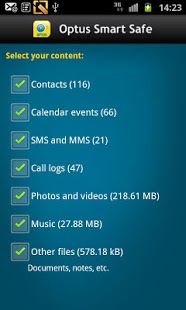
Save and share what’s important to you.
These days our mobiles are an extension of ourselves - they carry our files, photos, music and a whole lot more.
What would happen if all of this was lost?
Optus Smart Safe gives you peace of mind by automatically storing your precious information in ‘the cloud’, so it’s safe and easy to access no matter where you are.
• Save your important stuff on up to 5 devices
• Access your info anytime, anywhere from the web
• Share your memories with family and friends
• 2GB free included on all Optus mobile plans
It’s Secure: All files are transferred securely (SSL) to online data centres. Because Optus Smart Safe stores your data online, you also safeguard your files against possible PC failure and property damage.
Backup & store on up to 5 devices: Backup and store your photos, music, memories, contacts, calendar and documents directly from your compatible Optus smartphone and computer to your Smart Safe account on up to 5 devices.
Share with everyone: Share your photos and music with family, friends on Twitter and Facebook.
Save time: Set your computer and Optus smartphone to automatically back-up your files so new files are saved and stored without needing to even think about it.
Backing up information from your Optus mobile will not incur data charges.
Sign Up now to activate this application.
About Optus Smart Safe
The company that develops Optus Smart Safe is Optus Mobile Pty Ltd. The latest version released by its developer is 1.00.18452. This app was rated by 1 users of our site and has an average rating of 3.0.
To install Optus Smart Safe on your Android device, just click the green Continue To App button above to start the installation process. The app is listed on our website since 2013-08-13 and was downloaded 16 times. We have already checked if the download link is safe, however for your own protection we recommend that you scan the downloaded app with your antivirus. Your antivirus may detect the Optus Smart Safe as malware as malware if the download link to com.fsecure.mobile.backup is broken.
How to install Optus Smart Safe on your Android device:
- Click on the Continue To App button on our website. This will redirect you to Google Play.
- Once the Optus Smart Safe is shown in the Google Play listing of your Android device, you can start its download and installation. Tap on the Install button located below the search bar and to the right of the app icon.
- A pop-up window with the permissions required by Optus Smart Safe will be shown. Click on Accept to continue the process.
- Optus Smart Safe will be downloaded onto your device, displaying a progress. Once the download completes, the installation will start and you'll get a notification after the installation is finished.
Program Details
System requirements
Download information
Pricing
Version History
version 1.00.18452
posted on 2013-08-13
Several fixes and updates
